
- From the host dashboard, tap New Event. (Drink Library is optional first — add drinks there if you want items ready to pick from.)
- Enter an event name (for example “Birthday Party”) so you can find it on your dashboard later.
- Set a guest password: 4–8 characters. Guests will need this with the party code to join.
- Build the menu: expand each category (Beer, Wine, Cocktail, etc.) and tap drinks to include them. You can leave the menu empty and add drinks later from Event Detail → Edit Menu.
- Tap Create Event. A party code is created for you automatically.
- Share the party code and password with guests. You’ll find them on Event Detail and on View Orders after you open the event from the dashboard.

Independent mobile app studio
Mobile apps for parties, portfolios, and game day
Tragic Studios designs, builds, and supports focused iOS and Android software—tools you reach for at a gathering, between market candles, or when family is following from the bleachers. PartyTender keeps drink orders organized; the Averaging Down Calculator shows your new cost basis before you add to a position; ScorePoint sends warm-up alerts and live scores for your teams.
The studio
Tragic Studios is a small, independent development company—we own the products we ship and stand behind every update. We build for real situations: crowded Wi‑Fi at a house party, one-handed use behind the bar, a quick check before you place another buy, or a parent at home waiting for the first point. Our apps favor clear flows, responsive performance, and privacy where it counts. Each release is tested on real devices and everyday networks before it reaches the App Store and Google Play.
Mobile Apps

Host & Guest
PartyTender
Run the bar from your phone—guests order, you pour.
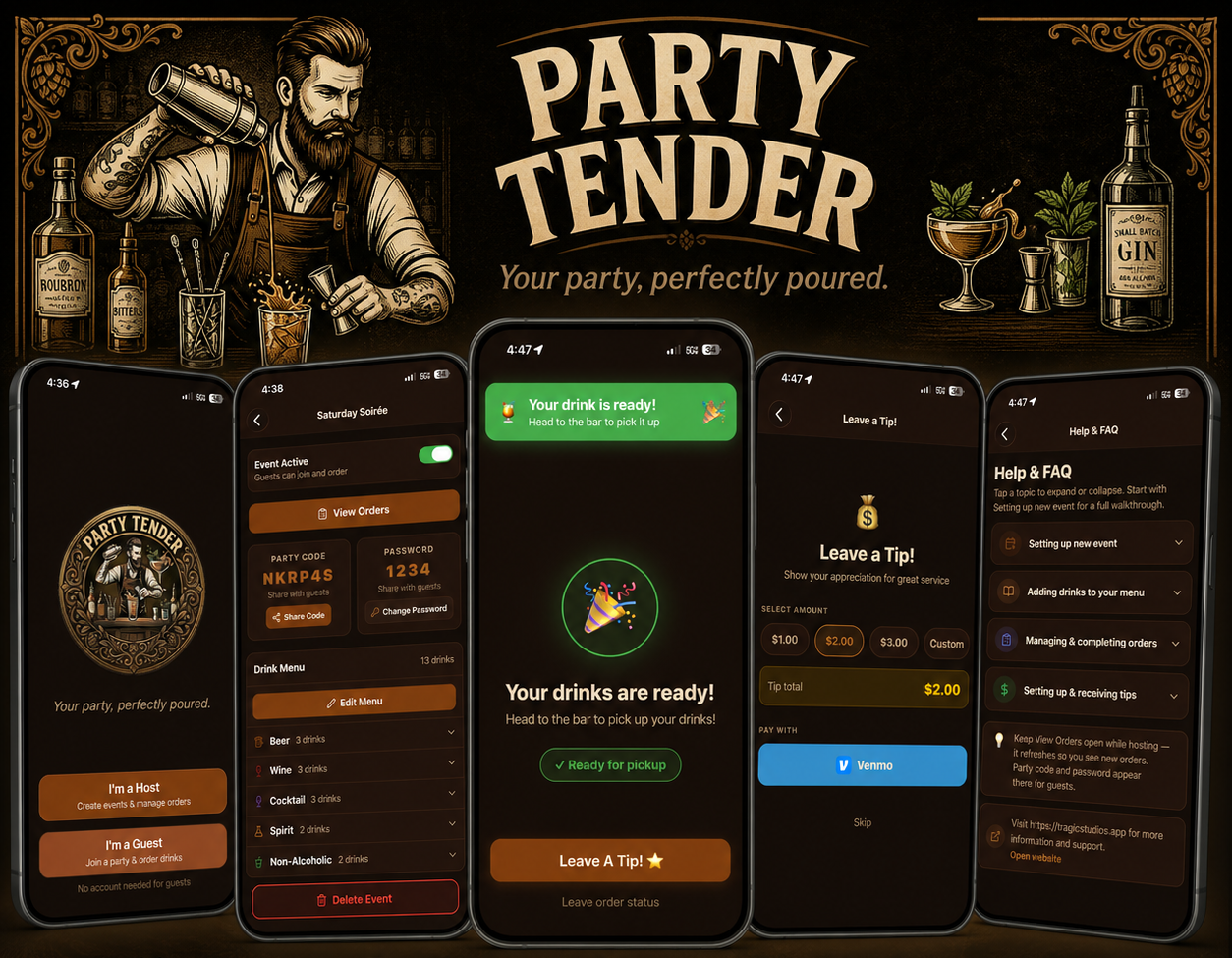
PartyTender is a party drink-ordering app for hosts and guests. Create an event, build your menu, and share a party code—guests order from their phones with no account. Every order lands in a live host queue with recipes, prep notes, and status updates so nothing gets lost in the group chat.
- Host parties, take events live, and edit menus by category.
- Guests browse, add to cart, and track orders—no sign-up required.
- Push notification when a drink is ready, plus optional Venmo tips.
- Reliable sync built for busy parties and spotty Wi‑Fi.
Stocks & Crypto
AVG Down Calculator
Know your new average before you buy.
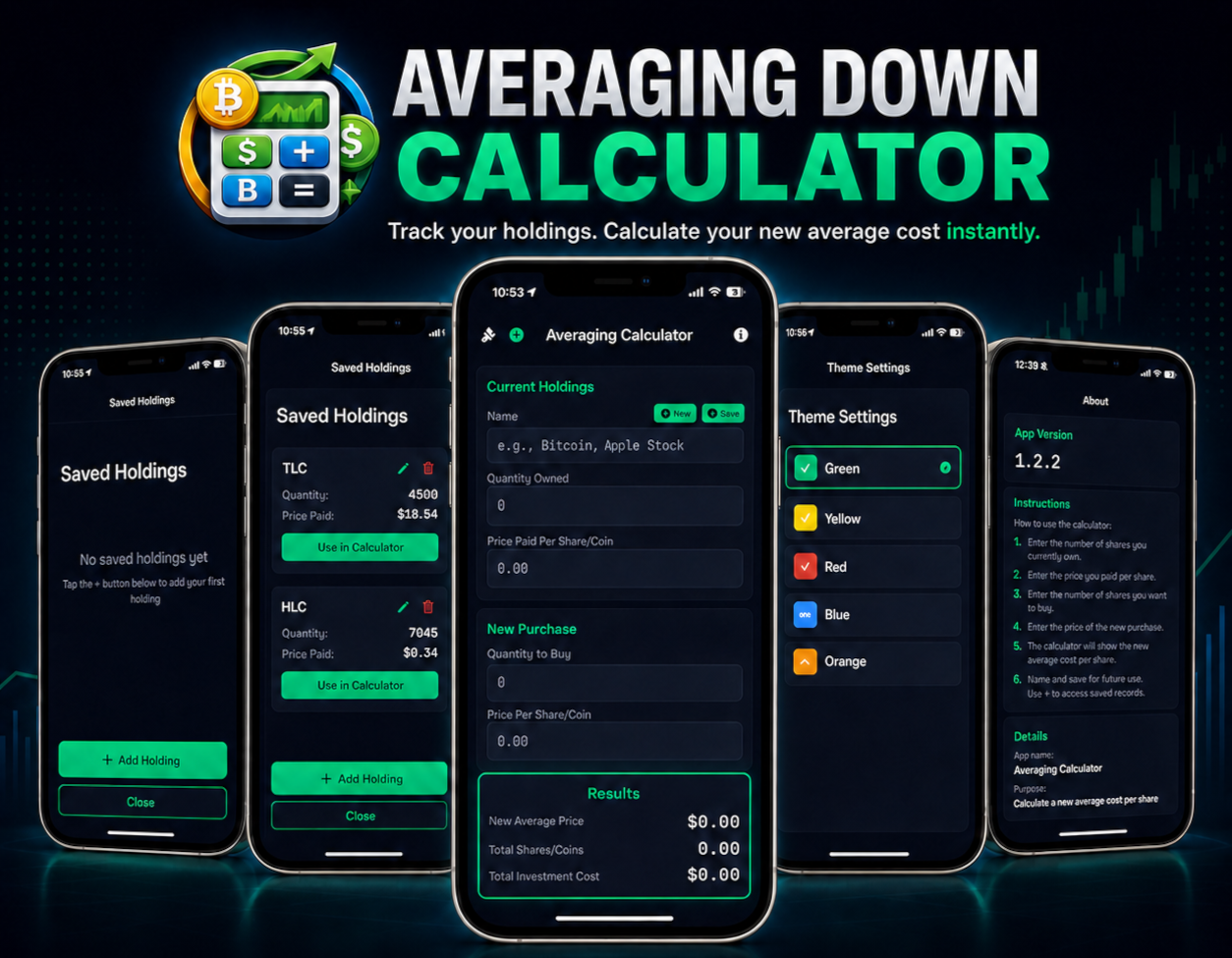
The Averaging Down Calculator helps you plan add-on buys when a position is underwater. Enter what you own and what you are considering buying—see your new average cost, share count, and cost basis in seconds. Works with stocks, ETFs, and cryptocurrency.
- Updated average cost across unlimited follow-on purchases.
- Save holdings for fast reuse on your next trade idea.
- Accent themes so the app fits your workspace.
- Calculations stay on your device—your numbers are not uploaded.

Teams & Live Scores
ScorePoint
Warm-up alerts and live scores—for families following from home.
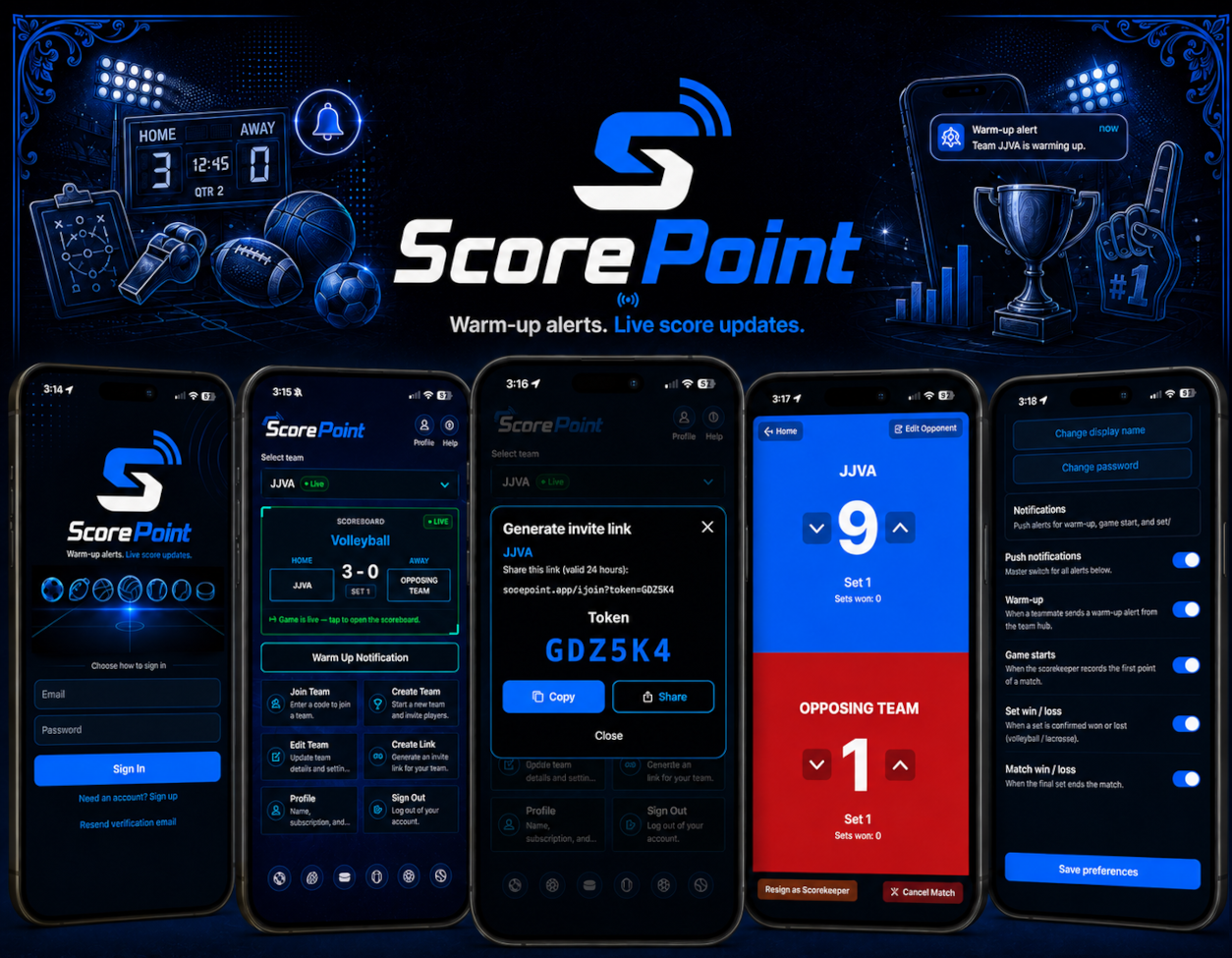
ScorePoint keeps coaches, scorekeepers, and families connected on game day. Create or join a team with a six-character invite code, follow live scores from the scoreboard, and get push alerts when warm-up starts or the first point is recorded—so parents and grandparents at home never miss the moment.
- Join or create teams for baseball, basketball, hockey, lacrosse, soccer, and volleyball.
- Live scoreboard with scorekeeper controls at the field.
- Push alerts for warm-up, game start, set results, and match results.
- Share invite links so players and family can follow along from anywhere.
FAQ
PartyTender
Same topics as Help & FAQ in the host app — tap each question to expand.
- Tap Drink Library on the dashboard.
- Tap + to add a drink, enter the name, and pick a category (Beer, Wine, Cocktail, Spirit, Non-Alcoholic).
- Tap Save — the drink stays in your library for any event.
- When you create an event (or from Event Detail → Edit Menu), choose which library drinks appear on that event’s menu.
- Guests only see drinks on that event’s menu.
- Open an event from the dashboard, then tap View Orders (or open View Orders from Event Detail).
- The queue refreshes periodically — pull down to refresh anytime.
- Review each order: guest name, drink, and any special notes.
- When a drink is ready, tap Mark Complete on that order.
- The guest can receive a notification that their drink is ready.
- Completed orders appear under Completed Drinks on View Orders.
Keep View Orders open while hosting — it refreshes so you see new orders. Party code and password appear there for guests.
- Go to Profile, turn on tipping, and add your Venmo handle (used when guests leave a tip).
- Guests who finish an order may see Leave a Tip with your Venmo link.
- They can pick an amount and open Venmo to pay.
- If tipping isn’t set up, the tip screen explains that no payment method is configured.
AVG Down Calculator
All math runs on your phone or tablet. Tragic Studios does not collect or store your holdings or trade inputs—only standard Apple and Google platform services apply.
Yes. Use it for stocks, ETFs, and crypto—any asset where you track quantity and price per unit.
ScorePoint
Same topics as How ScorePoint works in the app — tap each question to expand.
- Tap Join Team and enter the 6-character invite code from your coach or a parent.
- Or tap Create Team, choose a sport, name the team, and share the invite code you receive.
- Use the team picker on the home screen to choose which team you are following.
- Turn on push notifications in Profile to receive warm-up and game-start alerts.
- Someone at the field can tap Notify Warm-Up so family gets a warm-up alert.
- Tap the scoreboard card on the home screen anytime during a match to watch live scores.
- The scorekeeper is not notified for events they trigger themselves.
ScorePoint includes a trial period for new teams. Manage your subscription, notification preferences, and account from Profile. Restore purchases reloads your App Store or Google Play status and updates your account.
PartyTender hosts can open Help & FAQ in the app from the dashboard. ScorePoint users can open How ScorePoint works from the teams hub. For the Averaging Down Calculator, see more answers on our support hub.
Contact
Questions about PartyTender, the Averaging Down Calculator, ScorePoint, press, or partnerships? Use our contact form—we read every note and usually reply within one business day.